One inbox. Every guest. AI that replies on its own.
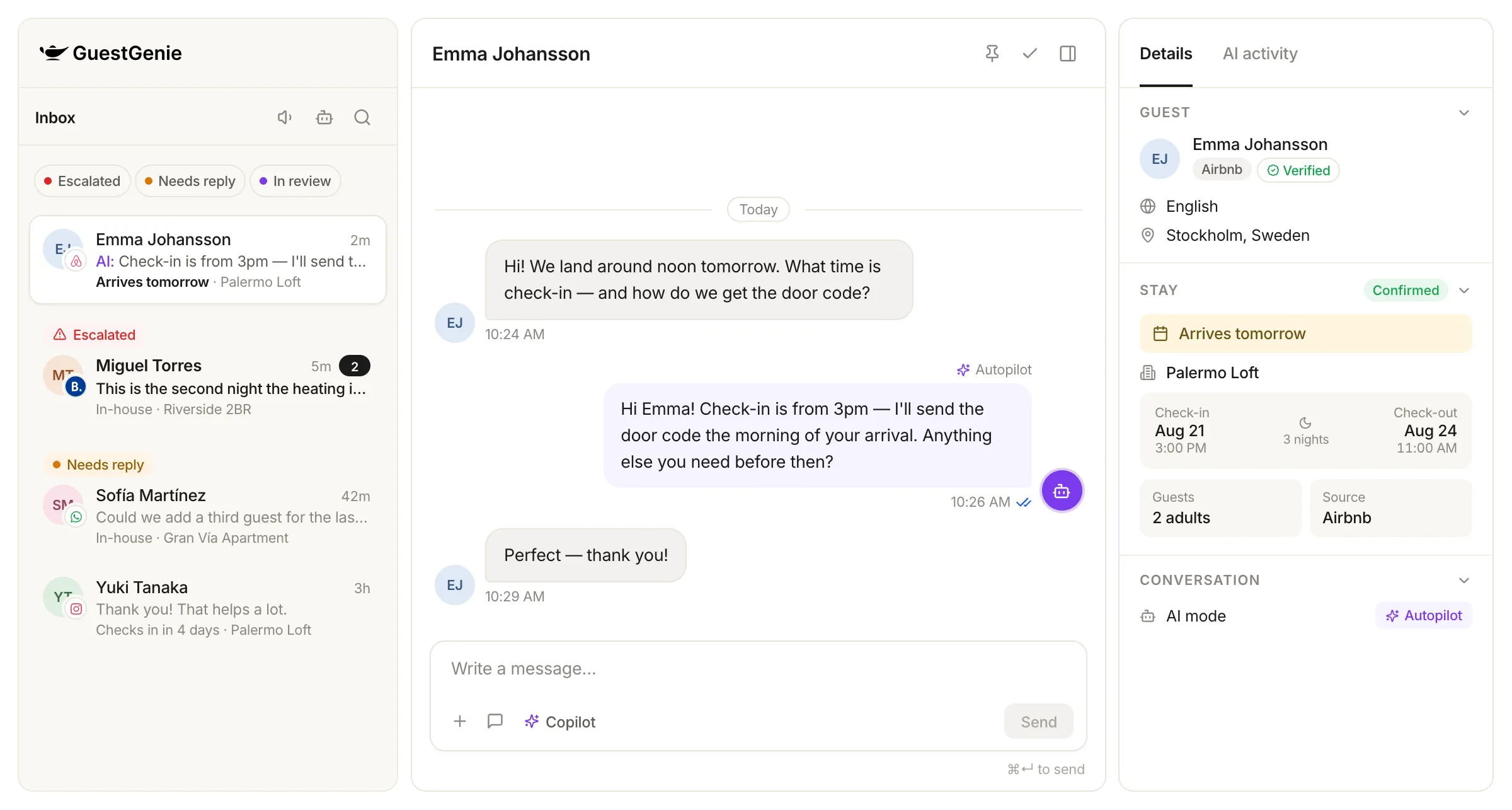
Airbnb, Booking.com, WhatsApp, Instagram and email land in a single inbox — where an AI agent answers most messages by itself, and hands the rest to your team before a guest ever waits.
You decide how much the AI does
Every conversation runs in one of three modes, and you can change it at any time. Start with drafts you approve, move to autonomous replies when you trust it.
Manual
The AI stays out of it. Your team writes every reply, with the guest and stay context right beside the thread.
Copilot
One click drafts a reply grounded in what the AI knows about the property. You read it, edit it, send it.
Autopilot
The agent answers guests on its own, within the hours, properties and limits you set — and steps back the moment a message needs a person.
Autonomous, but never behind your back
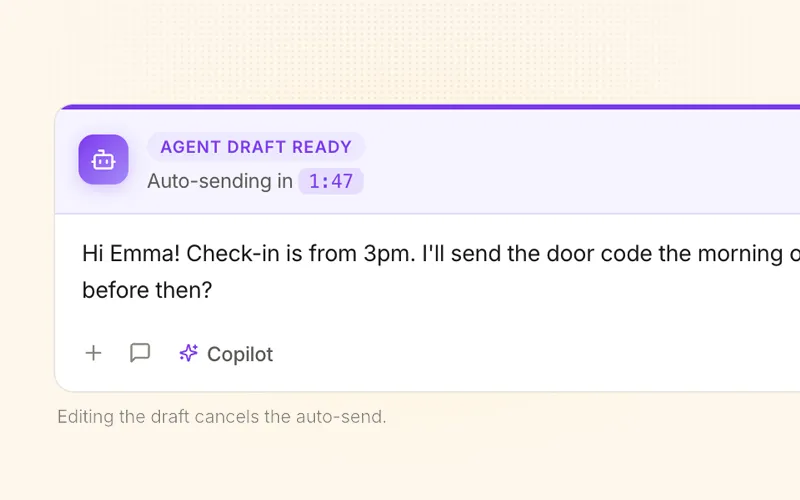
Autopilot holds every reply for a few minutes before it goes out. You see what it is about to send, and you can stop it.
- Watch every reply before it sends
- Send now, edit or cancel
- Set the window, hours and properties
It knows when to step back
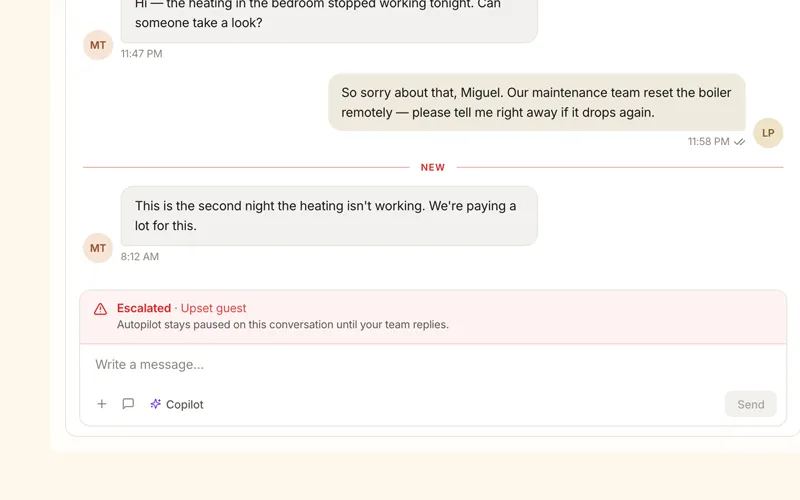
The difference between an assistant and a chatbot is knowing what not to answer. When a message is beyond what it can safely handle, the agent escalates, notifies your team and stays paused on that conversation until a person replies.
See why the AI answered what it answered
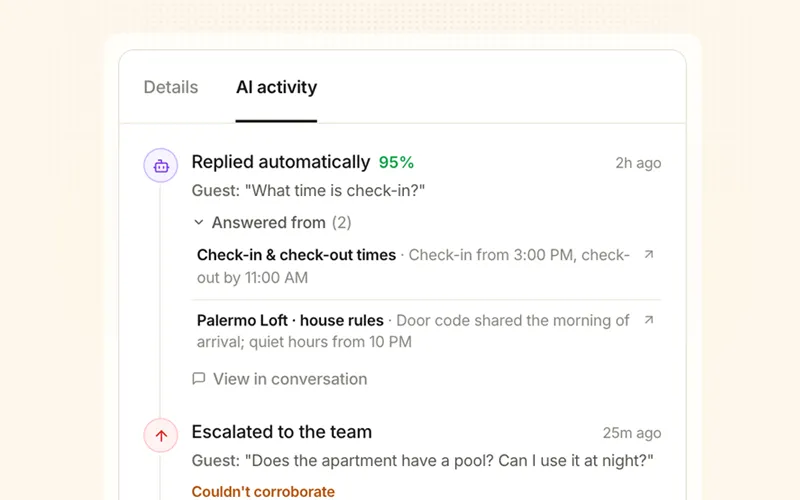
Every conversation carries an AI activity trail. No black box: you can audit any reply the agent sent on your behalf.
- Every decision, logged
- Confidence and sources on each answer
- Flags what it could not confirm
Answer once, never again
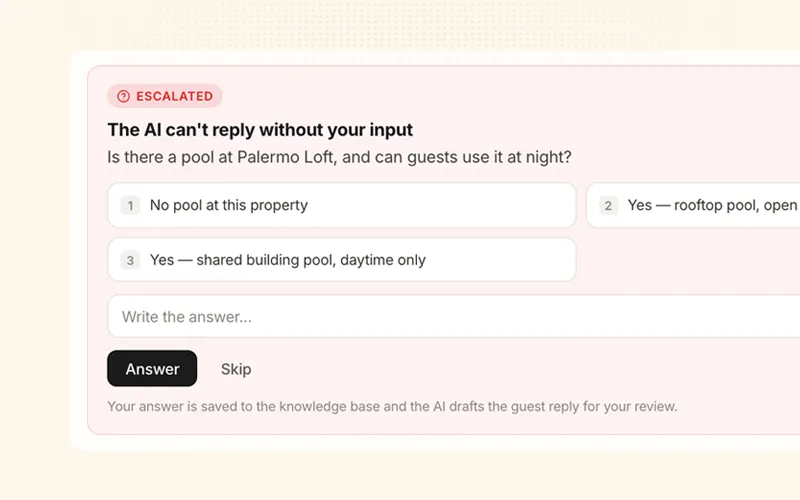
When the agent is missing information, it does not just give up: it asks you a single, specific question, and remembers the answer for every guest after that.
- 1
A guest asks something the agent cannot ground.
- 2
It asks you one specific question.
- 3
Your answer is saved to the knowledge base.
- 4
Every guest after that gets it instantly.
Built for the day-to-day, not just the demo
Triage that sorts itself
Escalated, needs reply, in review or AI handled — plus channel, stay phase, VIP and sentiment.
Translation both ways
Messages arrive in your language, replies go out in the guest's. The original is one click away.
Saved replies
Write once in your language, with guest and stay variables. Translated as you insert it.
Internal notes
Leave context for your team inside the conversation. Never sent to the guest.
Reservations, in the thread
Approve or decline booking requests, and edit arrival times that sync to your PMS.
Full guest context
Stay, guests, source, VIP and verification, online check-in and linked tickets.
What this changes in practice
24/7
Answered around the clockSeconds
First response timeOne team
No extra headcountFrequently asked questions
Airbnb and Booking.com conversations arrive through your PMS integration, and you can connect WhatsApp, Instagram and email directly. Direct-booking guests land in the same inbox, so your team works in one place regardless of where the guest wrote from.
Only if you choose that. In Manual and Copilot mode a person always presses send. In Autopilot mode, replies are held for a review window you configure — you see the countdown, and you can send it now, edit it or cancel it. You can also set Autopilot to instant sending once you trust it.
It escalates the conversation to your team instead of guessing, and Autopilot pauses on that conversation until a human replies. When the gap is missing property information, the agent asks you a specific question, saves your answer to the knowledge base, and drafts the guest reply for you to review.
Yes. Autopilot can run on all properties or only on the ones you select, and you can restrict it to a working-hours window with your own timezone. Outside that scope the conversation simply waits for your team.
Yes. Incoming messages are translated into your team's language and replies go out in the guest's language, with the original text always available. Your saved replies are translated automatically as you insert them.
Every conversation has an AI activity trail showing each decision the agent made, the confidence behind it, the property knowledge it used and anything it could not corroborate. Replies sent by the agent are marked in the thread, including drafts a human edited before sending.
See it running on your own conversations
Book a 30-minute demo and we will show you the inbox with your channels, your properties and your guests.
Book a demoDiscover other features
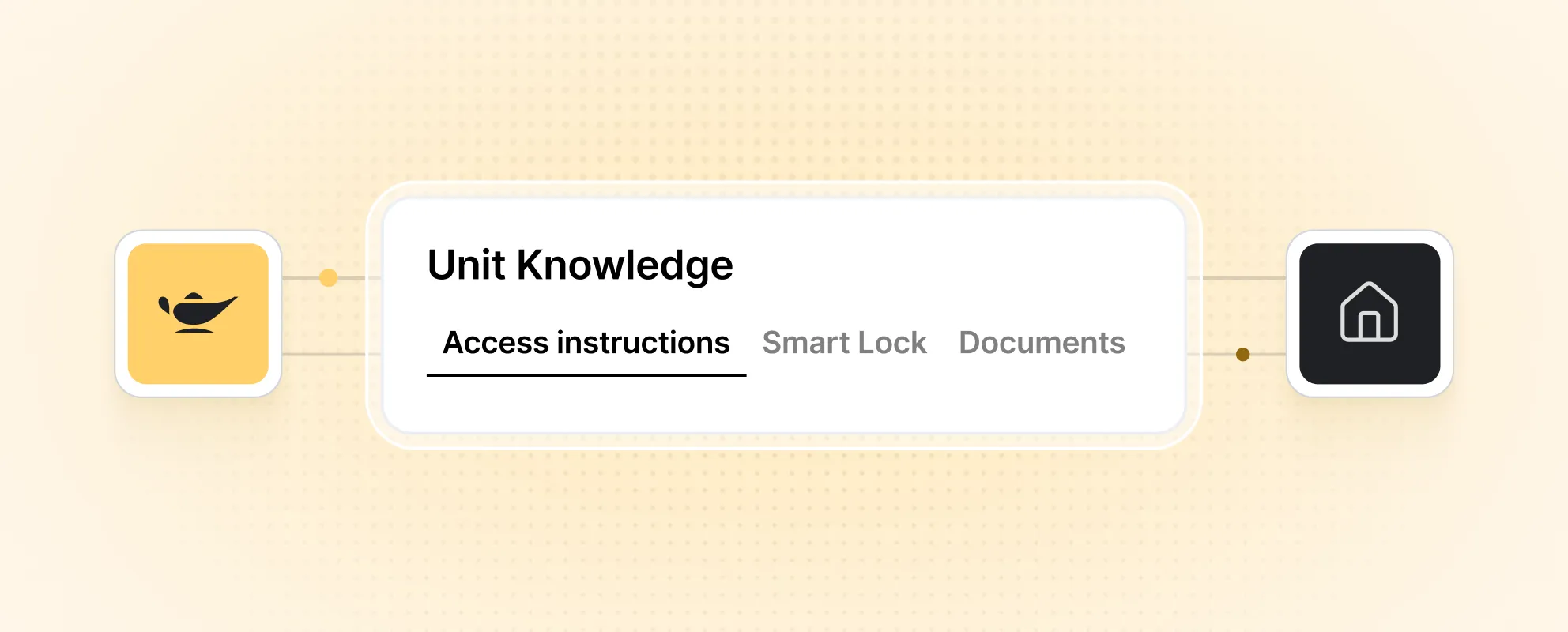
Property Intelligence Layer